
How to Create a Workspace
Follow this step-by-step guide to create and set up a new workspace location in your account
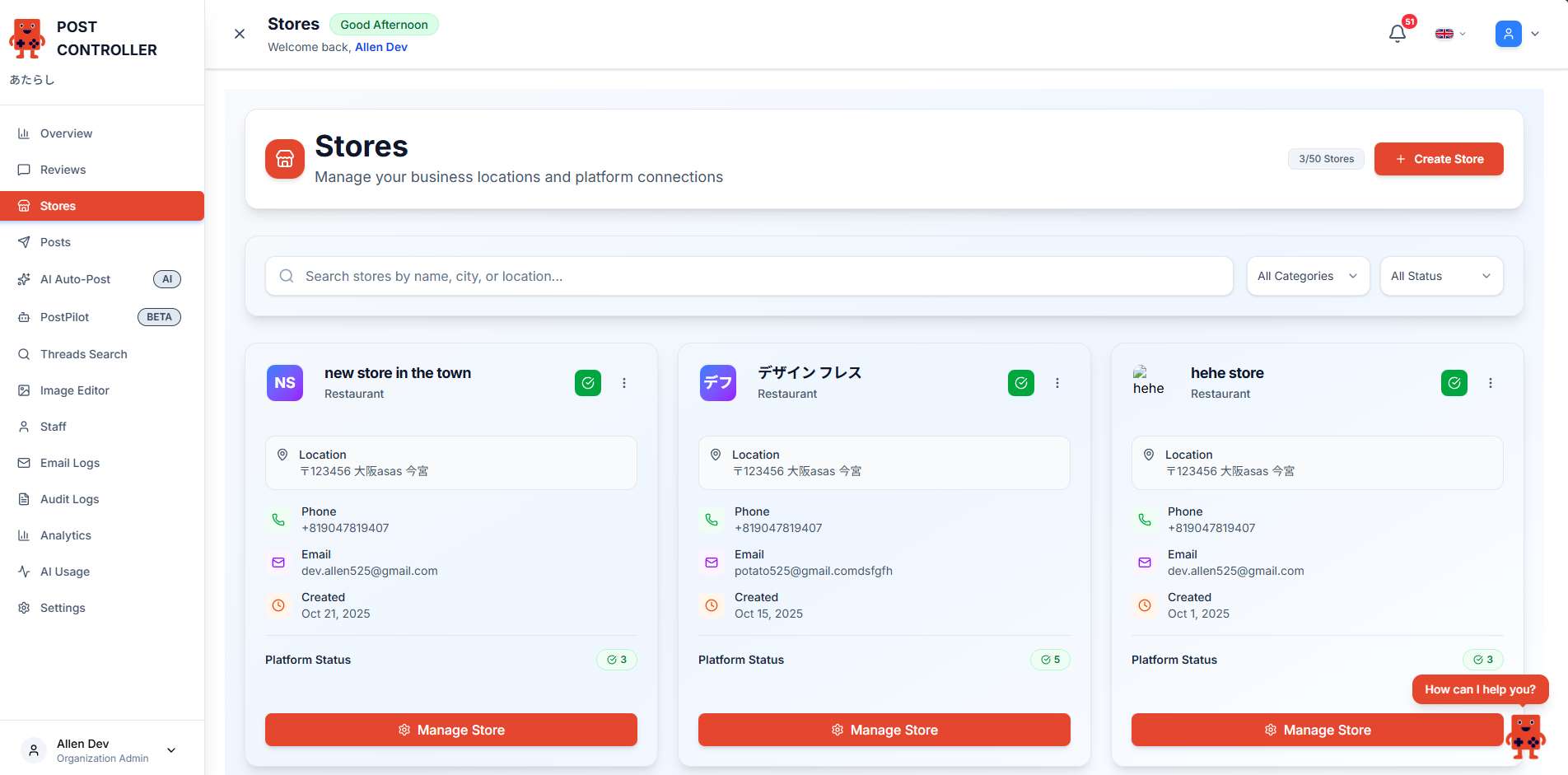
Navigate to Workspaces
From the sidebar menu, click on "Workspaces" to access the workspaces management page. Then click the "Create Workspace" button in the top right corner.
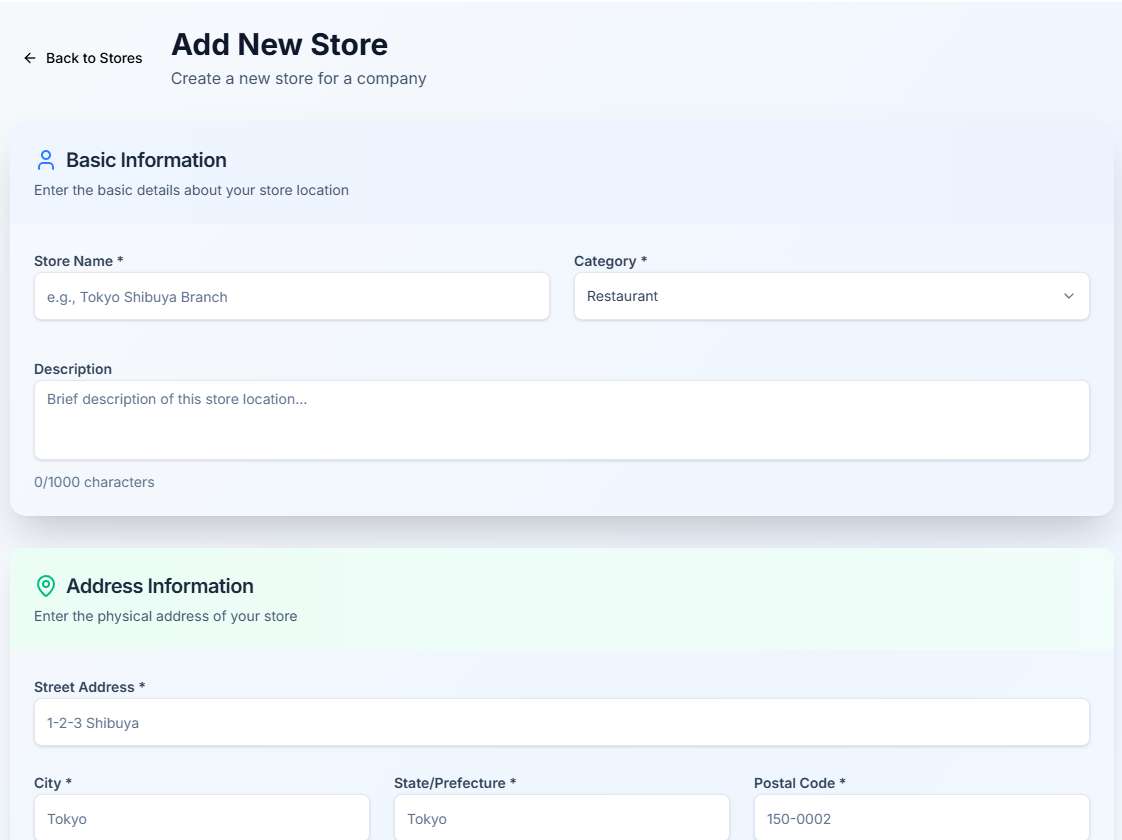
Enter Workspace Details
Fill in your workspace information including the workspace name, address, and other relevant details.
Save Your Workspace
Review all the information you entered and click "Create Workspace" to finalize the setup. Your new workspace will now appear in your workspaces list.

Pro Tips
- ✓
Accurate Information: Make sure to enter accurate workspace details as this information will be used for your social media posts
- ✓
Multiple Locations: You can create multiple workspaces to manage different business locations from a single account
- ✓
Connect Platforms: After creating a workspace, remember to connect your social media platforms to start posting
- ✓
Edit Anytime: You can edit your workspace information at any time from the Workspaces page