
How to Post with AI Auto-Post
Follow this step-by-step guide to create and publish AI-powered social media posts in minutes
Navigate to AI Auto-Post
From your dashboard, click on "AI Auto-Post" in the sidebar menu.
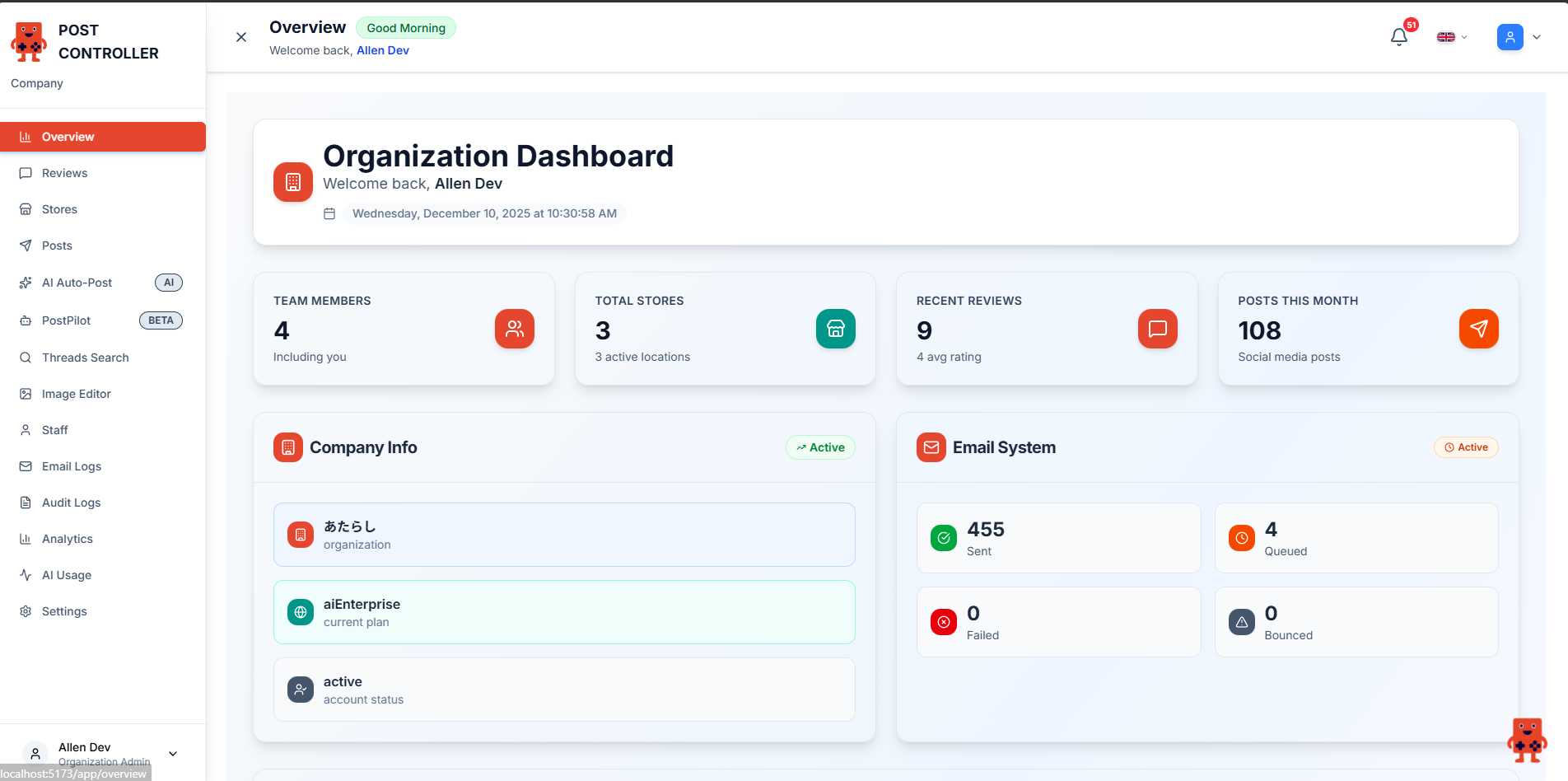
Click AI Auto Post Button
On the AI Auto-Post page, click the "AI Auto Post" button to start creating your post.
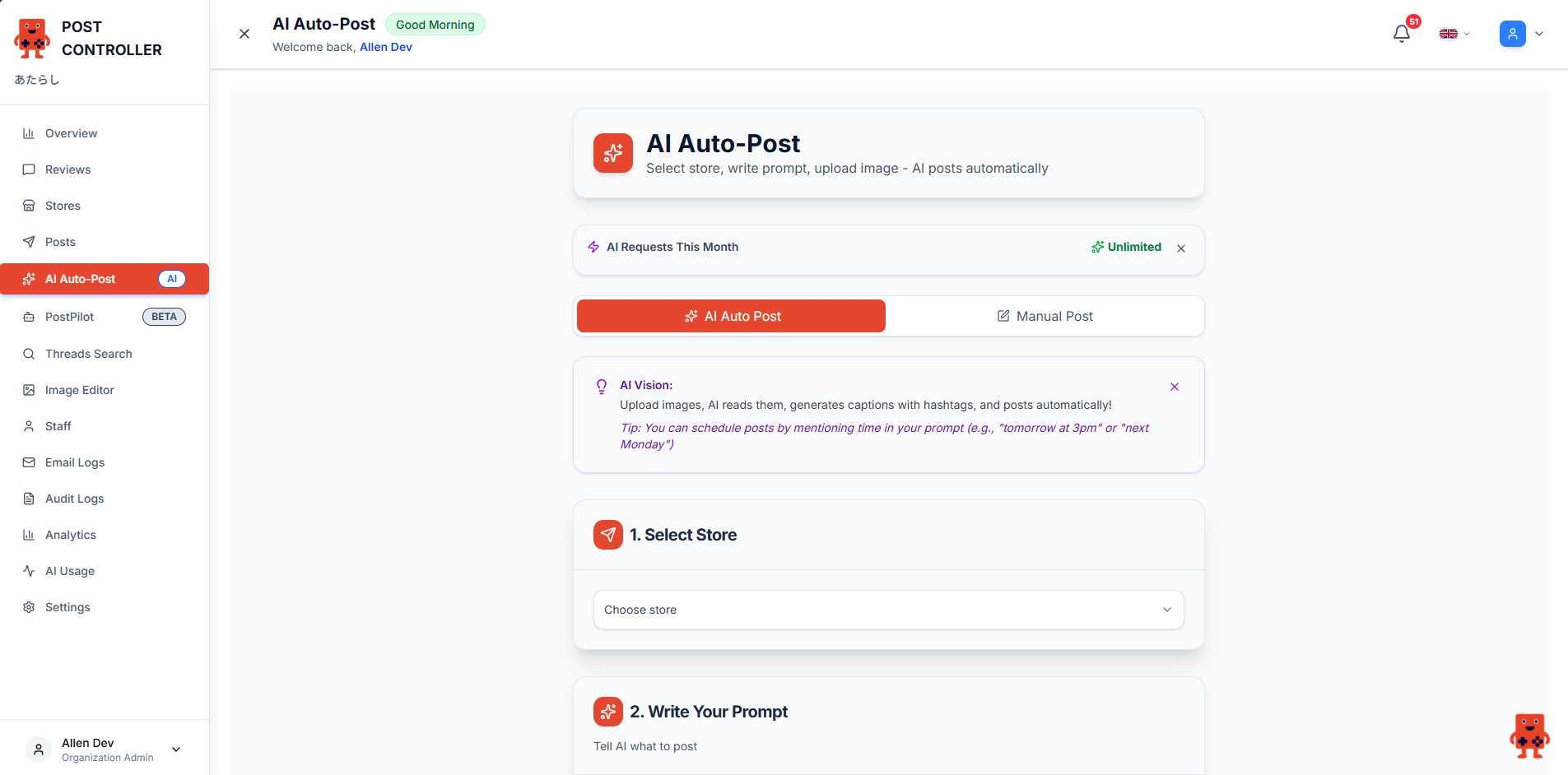
Select Your Store
Choose which store location you want to post from. Click the dropdown and select your store.
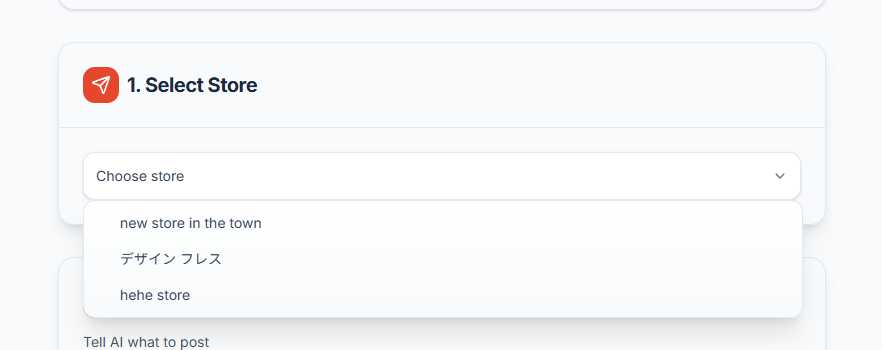
Write Your Prompt
Tell AI what you want to post. Be specific about your message, tone, and target platforms.
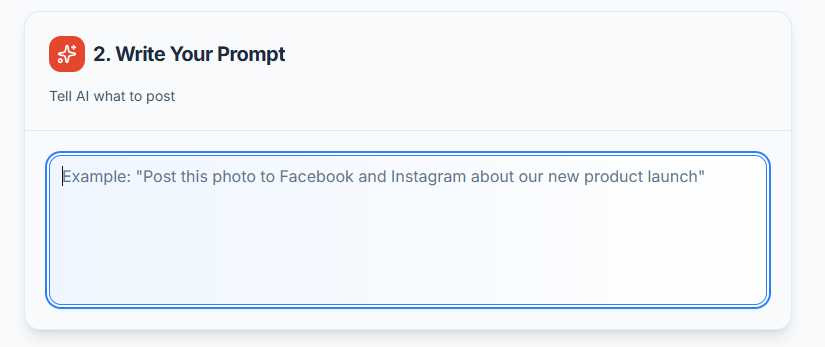
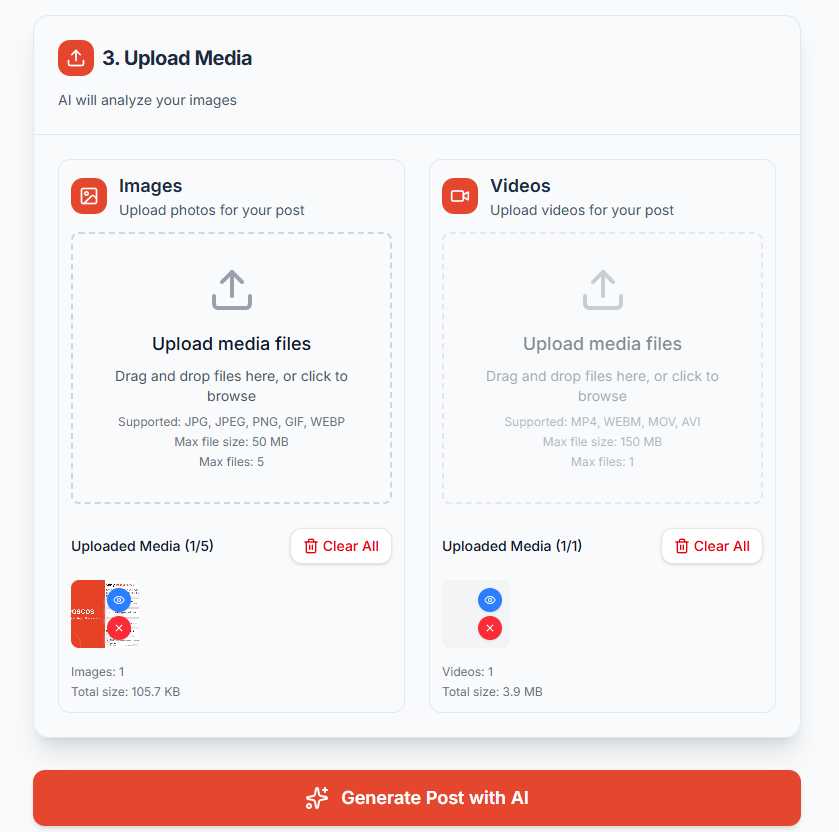
Upload Media
Upload images or videos for your post. AI will analyze them and generate appropriate captions.
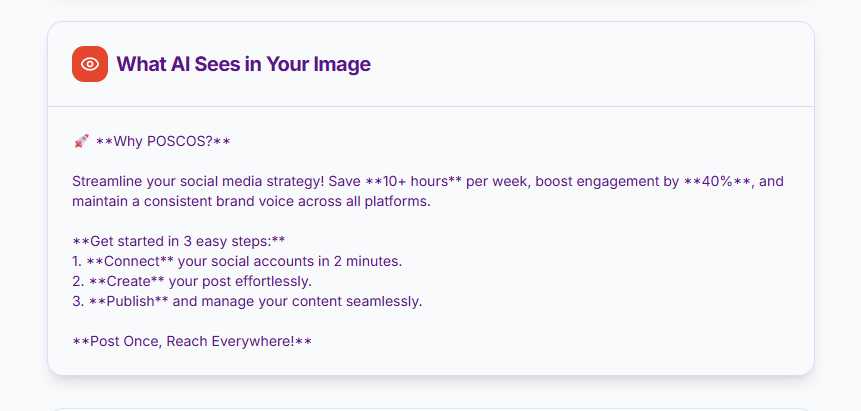
Review AI-Generated Content
AI analyzes your images and generates post content. Review what AI sees in your images.
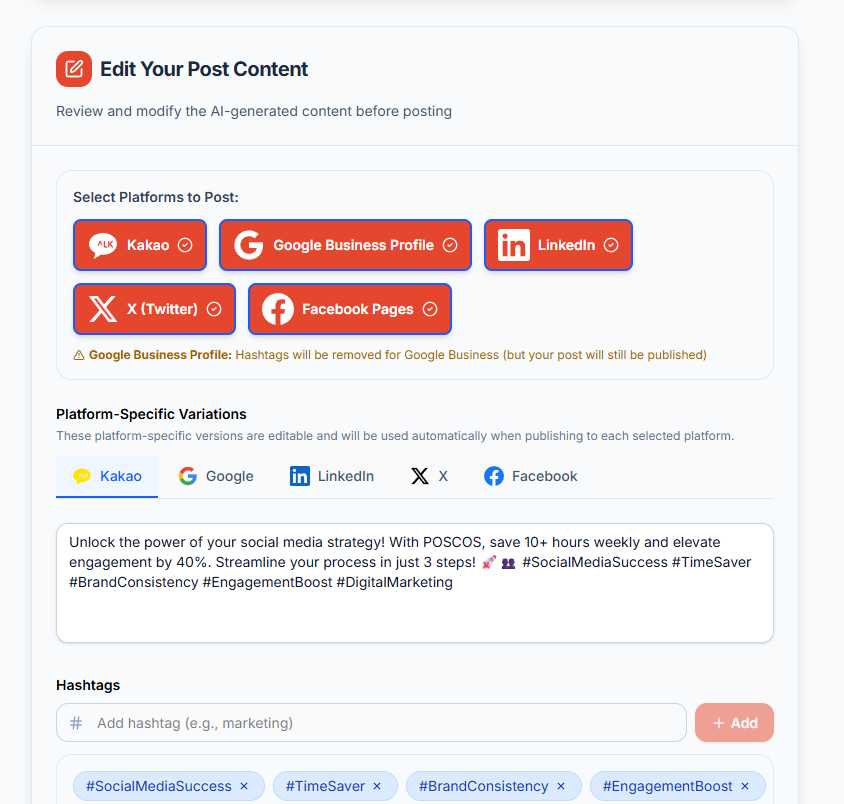
Select Platforms
Choose which social media platforms to post on. Edit platform-specific content if needed.
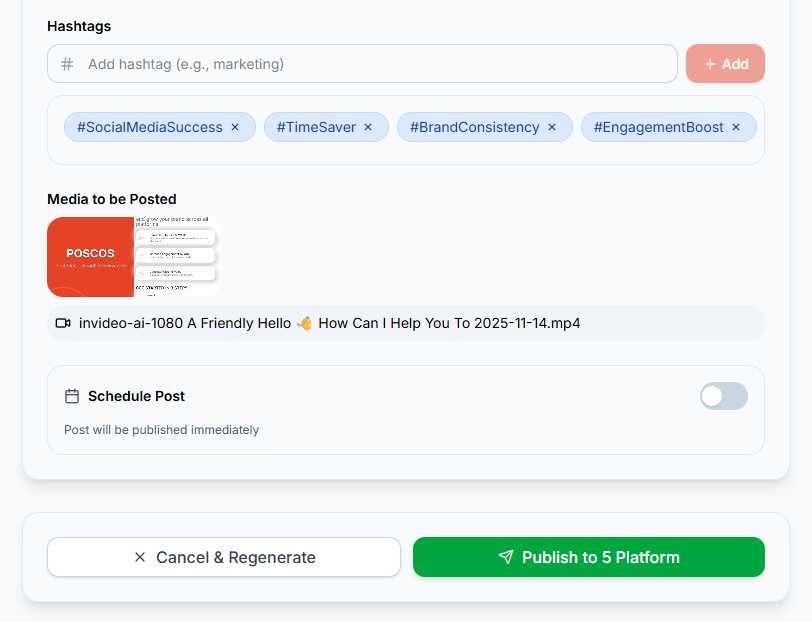
Add Hashtags
Add relevant hashtags to increase your post visibility. AI suggests hashtags based on your content.
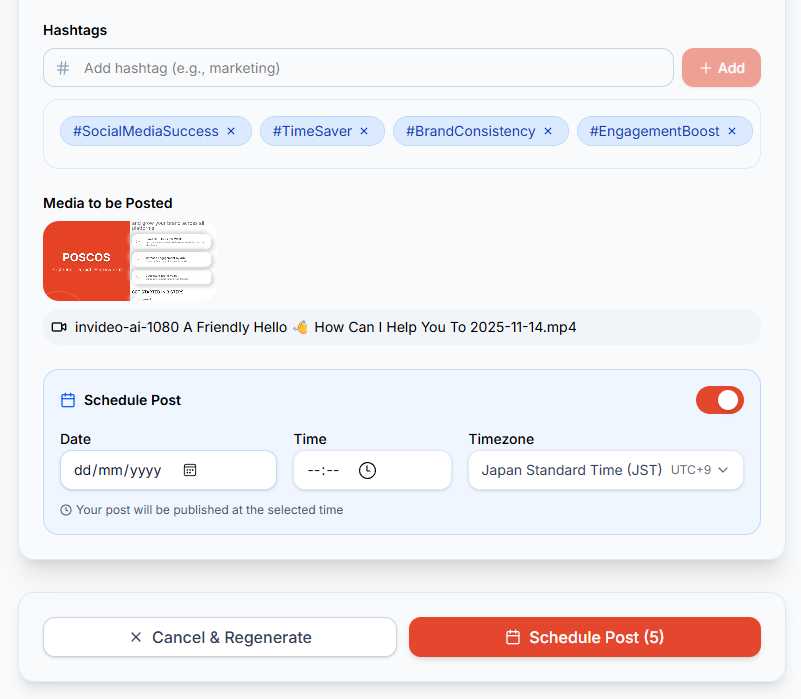
Schedule or Publish
Choose to publish immediately or schedule for later. Select date, time, and timezone.
Pro Tips
- ✓
Be Specific: The more detailed your prompt, the better AI can understand and create your content
- ✓
Schedule Posts: Mention time in your prompt (e.g., "tomorrow at 3pm") to automatically schedule posts
- ✓
Review Content: Always review and customize AI-generated content before publishing
- ✓
Use Quality Images: Upload clear, high-resolution images for better AI analysis and engagement